For iPhone & Android

A real code editor,
in your pocket.

Syntax highlighting, regex find and replace, and a command palette for jumping anywhere. Opens and edits the actual files on your phone, in iCloud Drive, and in Google Drive. And when you just need to jot something down, it’s a fast notes app too.

Free for your first 30 internal notes. External file editing is never capped. No account. No sign-in.

Actual app screen
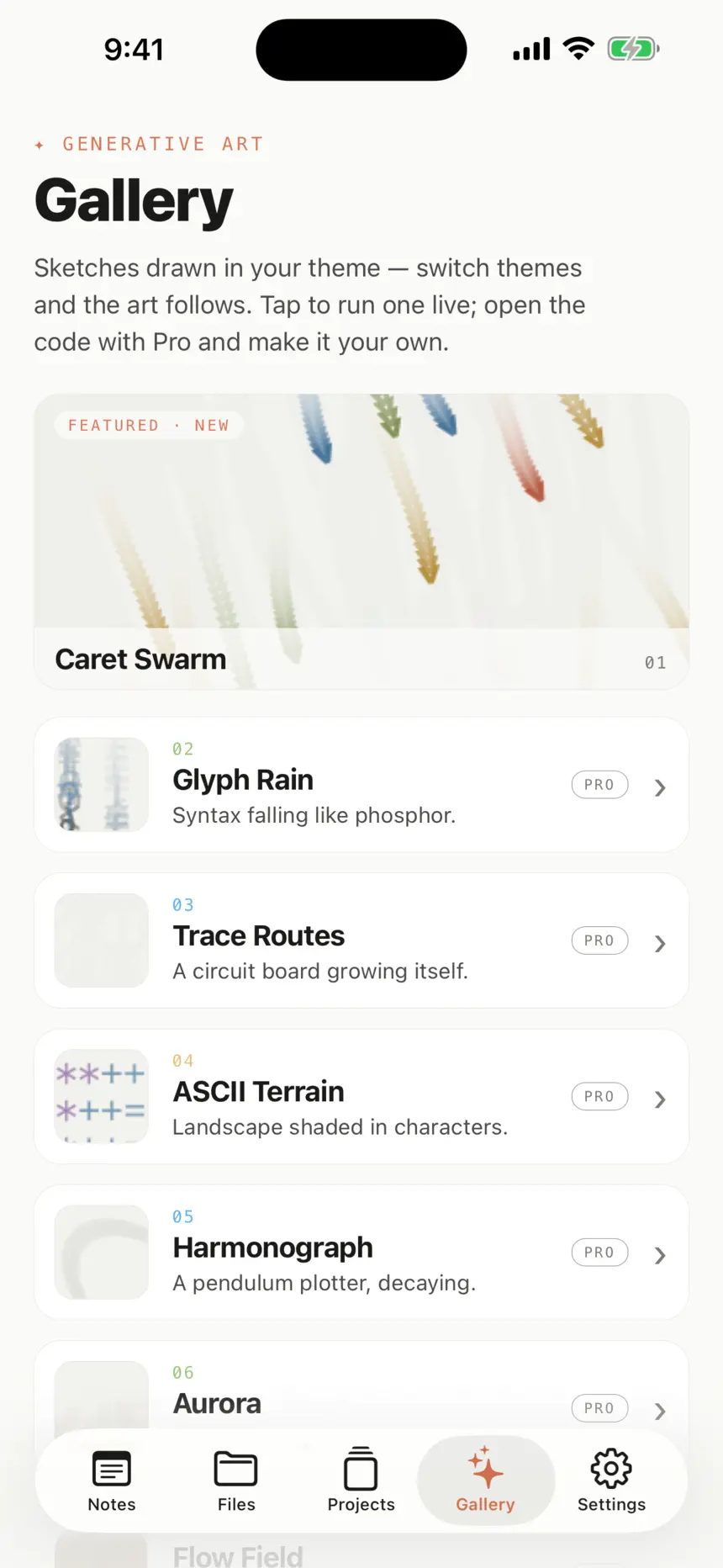
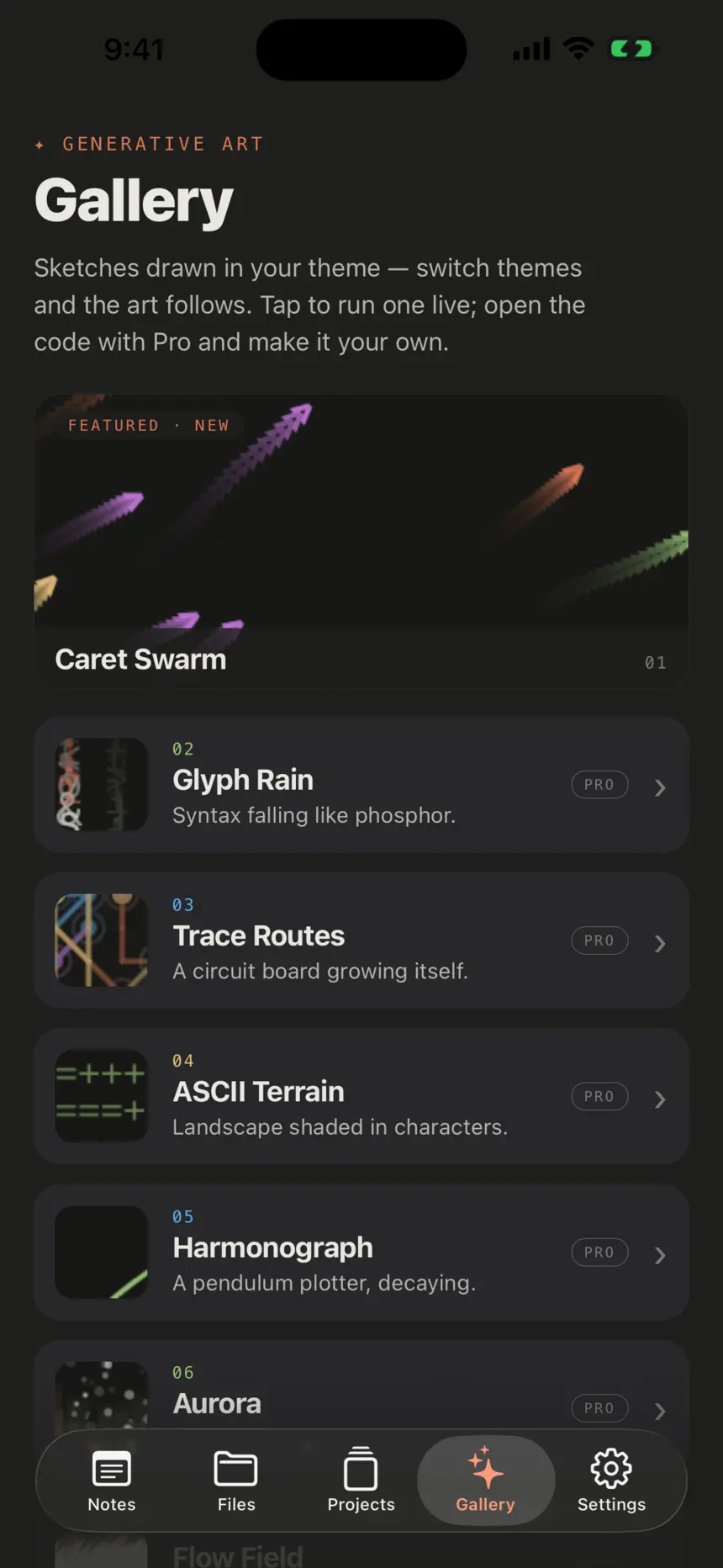
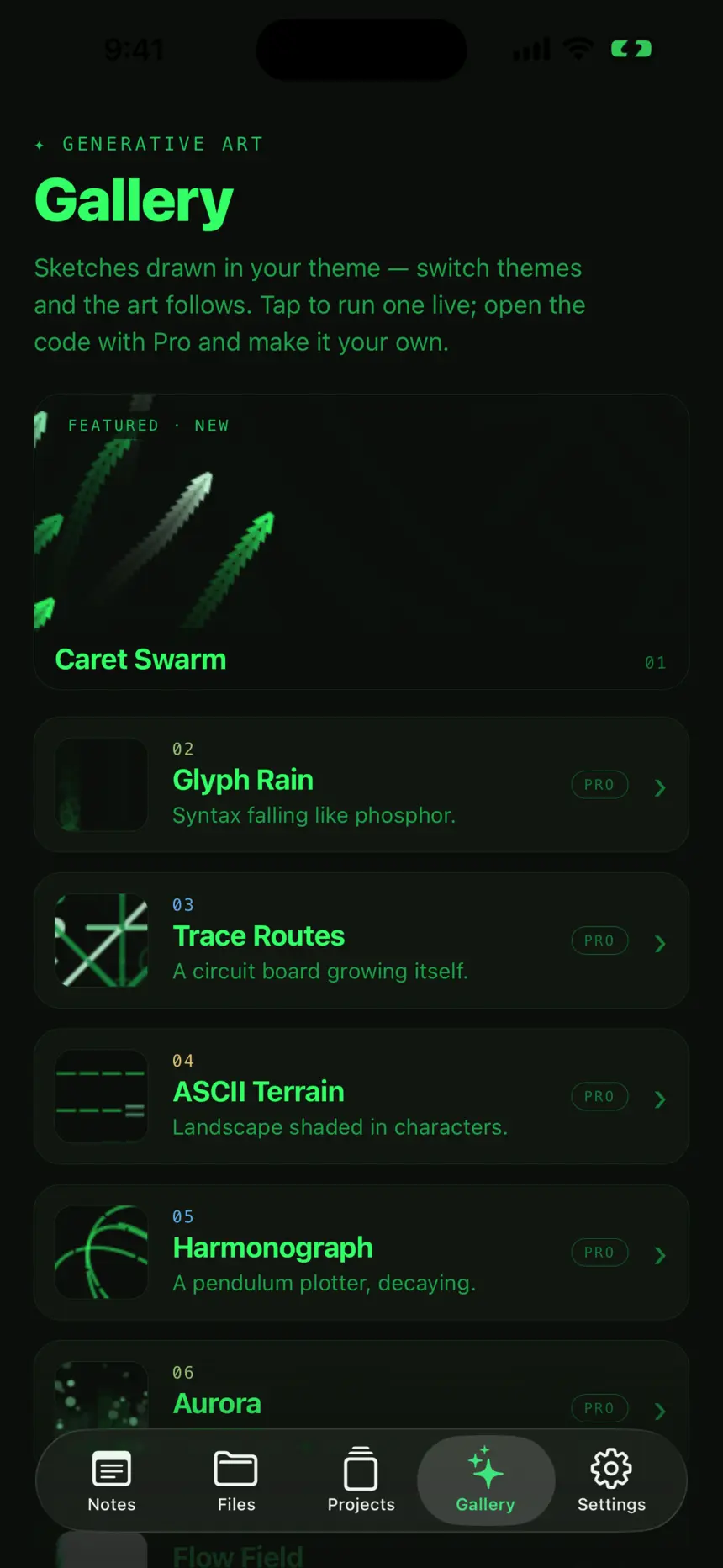
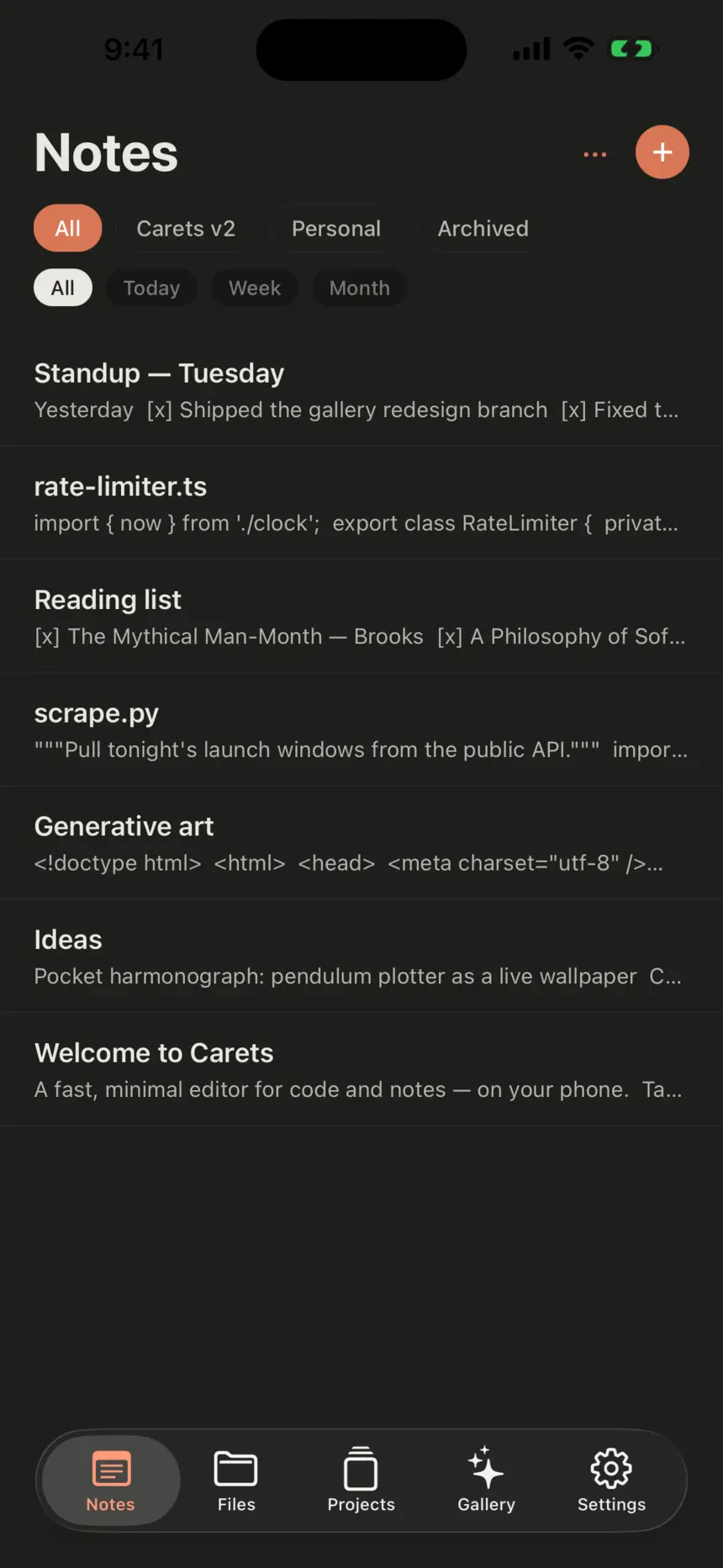
The Carets notes list on iPhone: filter chips, note titles with code previews, and a tab bar for Notes, Files, Projects, Gallery and Settings.

Phones onlyNo accountLocal-firstYour iCloudYour Drive

What it does

Two real tools,
one quiet surface.

01 / 04

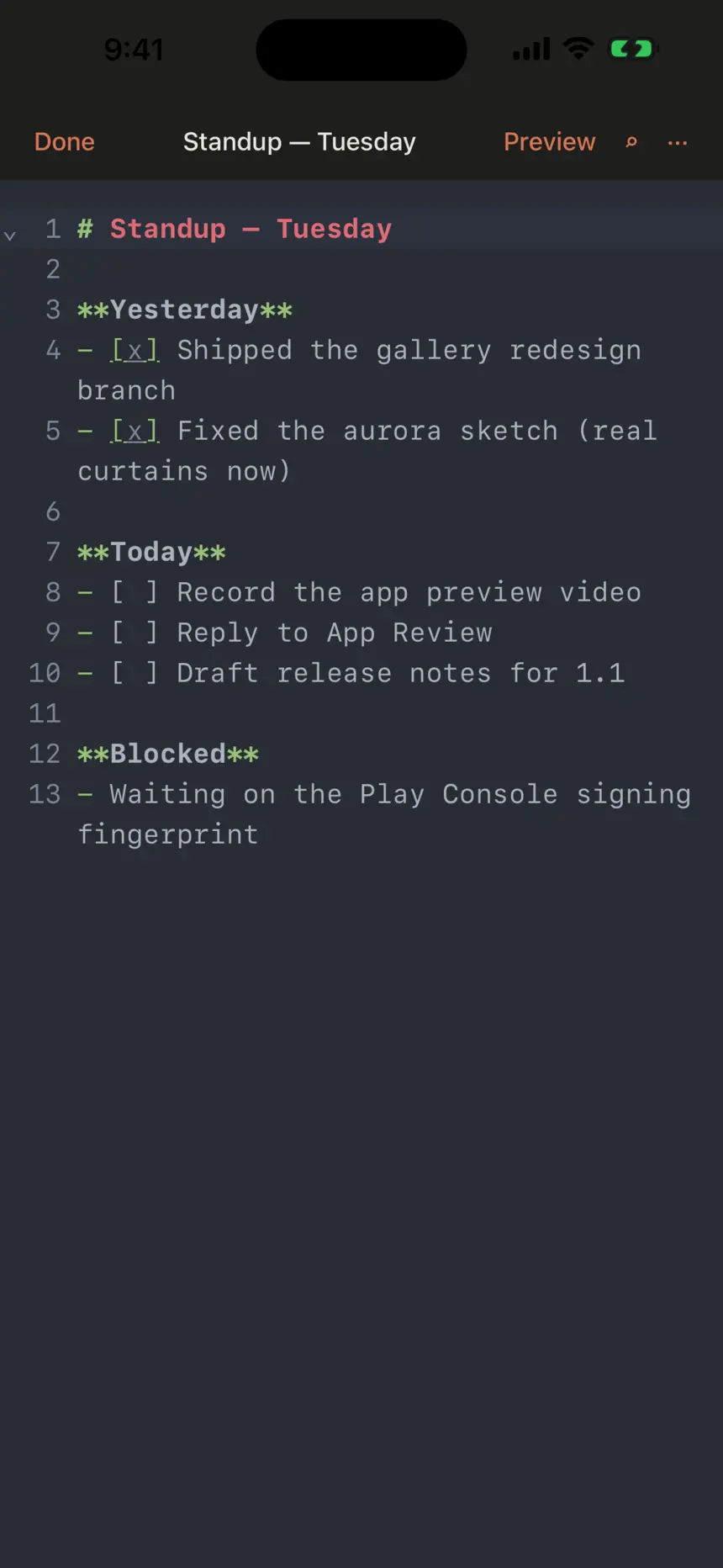
A Markdown standup note open in the Carets editor with line numbers, coloured headings and tap-to-toggle checklists.

01

A real editor surface

Syntax highlighting across the languages you actually use, line numbers, auto-indent, bracket matching. It feels like a real editor because it is one: CodeMirror 6 under the hood, tuned for the phone.

// shipped
const ok = "done";
Engine
CodeMirror 6
SQLite FTS5
Highlighting
JS · TS · Python · Ruby · Go · Rust · Swift · Kotlin · Java · C / C++ · JSON · YAML · TOML · HTML · CSS · SQL · Markdown · shell

02

Open & edit your real files

Open files from Files, iCloud Drive, or Google Drive. Edit in place and save back to origin via the OS security-scoped file model. Always unlimited, even on the free tier.

 iCloud Drive
   notes
     meeting.md
      scratch.txt

03

Find & replace, with regex

Sublime’s signature, faithfully ported. Search a document, replace with a real PCRE-style pattern, jump between matches. Touch-tuned input rows for tricky expressions.

find  /TODO\(([^)]+)\)/g
      12 matches

04

Goto Anything

A command palette reimagined for touch. Fuzzy-jump between any open note or recent file, run an action, switch theme, toggle preview. The keyboard’s best friend.

 go to
  parser.ts · line 42
  grocery list

05

Notes, lists, Markdown

Instant capture, live preview, tap-to-toggle checklists, auto-continuing bullets. Folders and tags for organization. The notes half is just as serious as the editor half.

 ship Carets
 review pricing copy
▢ press kit

06

Instant full-text search

SQLite FTS5 across every internal note. Type, results appear. No spinner, no round-trip. Recent external files surface in the same palette.

 regex · 4 results
  parser.ts · 2
  snippets.md · 1

What it costs

Free for the basics.
$5.99 to take it everywhere.

02 / 04

Always free

Opening and editing files from Files, iCloud Drive, and Google Drive is unlimited on every tier, including Free. It is a core editor function, not a stored note. The 30-note cap only applies to notes you create inside Carets.

Free

Forever

$0

Up to 30 internal notes. External file editing is never capped.

  • 30-note internal cap
  • Unlimited external file editing
  • Syntax highlighting & line numbers
  • Find & replace with regex
  • Go-to-line & command palette
  • Multi-cursor editing
  • Full-text search across notes
  • Light & Dark themes
Start free

No account, no sign-in, nothing to cancel.

Carets Pro

One-time

$5.99

Pay once. Yours forever. No subscription.

  • Unlimited internal notes
  • Cloud sync to your own iCloud / Google Drive
  • All themes: Light, Dark, Coder Light, Coder Dark
  • All fonts
  • Export to Markdown, PDF & .txt
  • Library restore on a new phone
Unlock for $5.99

One-time, non-consumable purchase. No renewals, ever.

01

The editor itself is free

Syntax highlighting, regex find/replace, go-to-line, the command palette, multi-cursor, full-text search. All of it unlocked on day one. Pro is not the price of using Carets; it is the price of using it at scale.

02

External files are always uncapped

Files you open from Files, iCloud Drive, or Google Drive are never counted, never synced by us, never restricted. They live in your cloud, and Carets just edits them in place.

03

Pro is a one-time unlock

Pay $5.99 once. No subscription, no renewals. It adds unlimited internal notes, cloud sync to your own iCloud or Drive, every theme and font, and export to Markdown, PDF, or .txt.

The purchase happens inside the app via your App Store or Google Play account. Carets Pro is a one-time, non-consumable unlock. There are no subscriptions and nothing auto-renews. See Terms of Service and Privacy Policy.

Things people ask

Straight answers.

04 / 04

01What’s the free tier, exactly?
Up to 30 internal notes: the ones you create inside Carets, stored in its local SQLite database. Editing external files is unlimited on every tier, free included. The editor itself is fully unlocked on free too: syntax highlighting, find and replace with regex, the command palette, Markdown preview and full-text search.
02Editing external files is really uncapped on free?
Really. Opening a file from your phone’s Files app, iCloud Drive, or Google Drive and saving it back is a core editor function, not a stored note. We never count those against the cap. There is no asterisk.
03Where does my data actually live?
On your phone. Internal notes sit in a local SQLite database; external files stay wherever you keep them, in iCloud Drive, Google Drive or device storage, and Carets edits them in place. We host nothing. Turn on paid cloud sync and an encrypted-in-transit copy of your internal notes goes into your own iCloud container or Google Drive app-data folder, still not our servers.
04Is it just Sublime Text on a phone?
Not a literal port, no. What we borrowed is the feel: speed, minimalism, a monospace-clean look, distraction-free editing, and the power-user touches (regex find and replace, Goto Anything, real syntax highlighting). We are not shipping a desktop IDE. We are shipping its phone-native cousin.
05How much is Pro, and is it a subscription?
Carets Pro is a single one-time purchase of $5.99, a non-consumable unlock rather than a subscription. You pay once and it’s yours for good. There are no tiers, no monthly or annual plans, and nothing auto-renews.
06I bought Pro. What if I get a new phone?
Pro is tied to your App Store or Google Play account, so it follows you. Reinstall, sign into the same store account, open the paywall, and tap Restore Purchases; the unlock comes back at no extra cost. Your cloud-synced notes restore from your own iCloud or Drive separately.
07Does cloud sync work between iPhone and Android?
Not in v1. iPhones back up to iCloud, Androids back up to Drive, and the two don’t talk yet. Cross-platform sync needs a neutral hosted layer we haven’t built. If you move ecosystems, export your notes to Markdown and re-import on the other side; cross-platform sync is on the v1.1 list.
08Is there a Mac or iPad version?
No. Carets is phone-only by design. iPad and macOS would mean a different app: keyboard-first multi-cursor, split panes, a plugin ecosystem. We’d rather be the best phone-native editor there is than a watered-down desktop one. The iPhone build will run scaled on iPad if you really want, but it’s not the optimised experience.
09Which languages does syntax highlighting support?
The common ones out of the box: JavaScript / TypeScript, Python, Ruby, Go, Rust, Swift, Kotlin, Java, C / C++, JSON, YAML, TOML, HTML, CSS, SQL, Markdown, shell scripts, and a few more. Mode is auto-detected from file extension and can be overridden per document.
10Do I need to log in?
No. The whole app works without an account. The only time identity comes up is the optional paid cloud sync, which uses Sign in with Apple (iOS) or Google Sign-In (Android), borrowed from the OS, not a password we ever see. Drive access uses the narrow appDataFolder scope, not your whole Drive.
11Can I export my notes?
Pro can export to Markdown, PDF, or plain .txt from Settings → Export, individually or in bulk. Free can copy or share individual notes via the OS share sheet. Either way, the files you produce are yours, in standard formats, with no lock-in.
12How do refunds work?
Through your App Store or Google Play account, not us. iOS: reportaproblem.apple.com. Android: the Play Store’s refund help page. If a statutory right applies (for example the EU/UK 14-day cooling-off period), email us and we’ll assist.